
On this page
The best SEO tool for small business is the cheapest one that does the job you need done this month. For most owners starting from zero, that means Google's free tools first, then one paid tool once you know what's missing.
This guide sorts tools by budget and by job, from $0 to $139 a month. Every price links to the tool's own page and was read there in October 2026, except where we say we couldn't check it.
A disclosure up front: Climber, the company that publishes this blog, makes one of the tools below. We list it second, and we say plainly where it falls short. If another tool fits you better, use that one.
What a small business actually needs from an SEO tool
You don't need 50 reports. You need answers to four questions:
- What are people searching for? This is keyword research: finding phrases your customers type that you could realistically rank for.
- Is my site healthy? A site check finds broken links, missing titles and pages Google can't read.
- Where do I rank and what's working? This is rank tracking and Search Console data.
- What should I write or fix next? Most small teams stall here, because the data doesn't say what to do.
Big platforms are strong on the first three. Beginners usually struggle with the fourth. When you compare tools, ask which one tells you the next step in plain words and which one just gives you more charts.
Also check whether you're a site owner or an agency. Agencies need client reports and many projects. A single-site owner mostly needs a short list of fixes and keywords.
Quick picks: the best SEO tool for each job
| Tool | Best for | Price (source) | Not for |
|---|---|---|---|
| Google Search Console | Seeing which searches already show your site | Free (Google) | Finding new keywords you don't rank for yet |
| Climber (our product) | Beginners who want keyword picks, fixes and drafts explained in plain English | $29, $49 or $79 a month (Climber pricing) | Backlink research, or anyone who wants a permanent free plan |
| Semrush | An all-in-one platform with deep data | SEO plan $139 a month, or $117.33 a month billed annually (Semrush pricing) | Tight budgets, or people who only need a few answers |
| Ahrefs | Backlinks and deep keyword data | Lite $129 a month (Ahrefs pricing) | Beginners who want guidance, not data |
| Screaming Frog SEO Spider | Crawling your own site for technical problems | Free up to 500 URLs; paid licence €245 a year (Screaming Frog pricing) | Keyword research |
| Yoast SEO Premium | WordPress on-page help while you write | $118.80 a year, ex VAT (Yoast) | Sites that aren't on WordPress |
Two tools people often mention are Ubersuggest and Rank Math. Ubersuggest's pricing page lists monthly plans from US$29 to US$99 (checked October 23, 2026). We couldn't load Rank Math's official pricing page while researching this guide, so check Rank Math directly if you're considering it.
Start with Google's free tools
If you spend nothing else, set these up. They show real data about your own site, not estimates.
Google Search Console is free. It shows which searches your site appears for, how many people saw it, how many clicked and at what average position. It's the most trustworthy source for your own rankings, because it comes straight from Google.
Its limit: it only reports on searches where you already appear. It won't suggest keywords you've never ranked for. If the report looks like a wall of numbers, Climber's Search Console insights explains it in plain English.
Google Analytics is free. It shows what visitors do after they land: which pages they read and where they come from.
Google Business Profile is free and matters most if you serve local customers, because it controls how you appear in maps and local results.
PageSpeed Insights is free and checks how fast a page loads on a phone. It's a good first look at whether a slow site is hurting you.
These four cover tracking, traffic, local presence and speed. They don't cover keyword research or content planning, which is where a paid tool earns its keep.
Climber: our tool, and where it falls short
Climber is an AI SEO tool you use by chatting. You ask a question such as "what keyword should I write about?" and it looks up real data, then explains the answer. We build it, so weigh this section accordingly.
What it does:
- Keyword research using Google Ads keyword data and live Google search results, matched to how strong your site is. A brand-new site gets low-difficulty ideas, not "buy backlinks first" advice. See the keyword research feature.
- Competitor analysis that shows which keywords rivals rank for and you don't. See competitor analysis.
- Site audits with fixes ranked by impact. See the site audit feature.
- An AI article writer that researches before it writes, and saves drafts to WordPress for you to review. Nothing is published without your approval. See the AI writer.
- AI visibility checks that test whether ChatGPT and Google AI Overviews mention your site.
- Search Console connection, rank tracking and a task list.
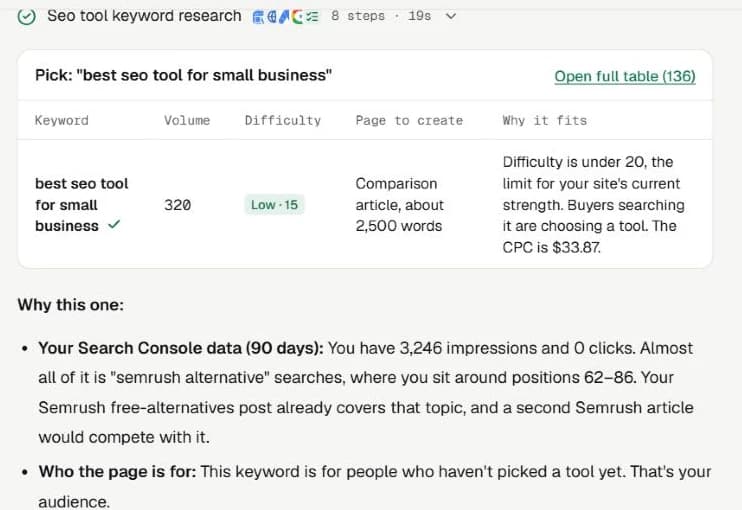
What it costs: Climber's pricing page lists three plans.
| Plan | Price per month | Credits per month | Connected sites |
|---|---|---|---|
| Starter | $29 | 100 | 1 |
| Pro | $49 | 200 | 3 |
| Agency | $79 | 400 | 10 |
Most messages use 1 credit. Full audits and AI visibility checks use 3, and Climber asks before spending those. Unused credits roll over for one month. Yearly billing is 20% less than paying monthly.
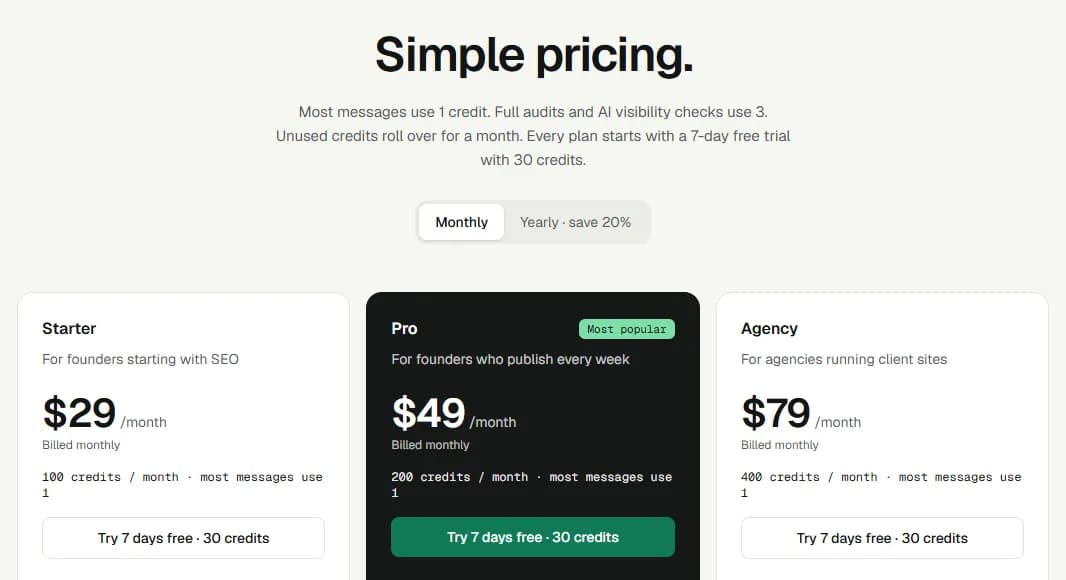
Where it falls short. Be clear on these before you sign up:
- It isn't free after the scan and the trial. Every plan starts with a 7-day trial with 30 credits. A card is required to start the trial, and you can cancel any time before it ends. After that you pay.
- It isn't a backlink database. Climber doesn't maintain its own index of who links to whom. If link research is central to your plan, use Ahrefs or Semrush for that.
- It's a smaller, simpler tool. Its keyword data comes from Google Ads data and live results, not a huge proprietary database like the big platforms.
- WordPress only for now. Drafts save to WordPress. On another CMS you'd copy the draft across by hand.
Who it suits: founders and owners who never learned SEO and want to be told what to do next. Who should pick something else: SEO specialists who live in backlink data, and anyone who wants a free plan that lasts.
Semrush and Ahrefs: the big all-in-one platforms
These are the industry-standard platforms. Both are powerful, and both assume you'll learn how to use them.
Semrush
Semrush's pricing page lists an SEO plan at $139 a month, or $117.33 a month billed annually. It covers 5 websites and 500 daily-tracked keywords, with keyword research, competitor analysis, Position Tracking and Site Audit. The page also offers a "Try for free" option.
If you want AI search tracking built in, the page lists a Starter SEO + AI Search plan at $199 a month ($165.17 a month billed annually). It includes 50 daily tracked prompts.
Who it suits: growing businesses and marketers who want one platform with deep data and will use most of it. Who should skip it: an owner who needs five answers a month. At $139 a month, you'd be paying for a lot you won't open. For cheaper options, read our guide to free Semrush alternatives.
Ahrefs
Ahrefs' pricing page lists Lite at $129 a month, Standard at $249 and Advanced at $449. Ahrefs says you save up to 17% by paying annually. Lite includes 750 tracked keywords, 150 checks on AI prompts and 6 months of historical data. Ahrefs also says it never runs discounts.
Ahrefs has a free tier too. Per its pricing page FAQ, website owners can sign up for Ahrefs Free to get limited access to Site Explorer and Site Audit. It's worth trying on your own site before paying for anything.
Who it suits: people who care about backlinks and competitor research, and are willing to learn the interface. Who should skip it: beginners who want a plain "do this next" answer.
Site audit tools: what to fix first
A site audit lists problems on your own pages. The trap is the long list: 200 warnings, and no idea which three matter.
- Climber's audit ranks fixes by impact, so you start with the few that matter.
- Screaming Frog SEO Spider is a desktop crawler. Its pricing page says the free version crawls up to 500 URLs, which covers many small sites. A paid licence is €245 a year (the page showed euros when we checked) and removes the limit. It's excellent for broken links, redirects and missing titles, but it's a technical tool with a learning curve.
- Ahrefs Free includes a limited Site Audit for sites you own, as noted above.
- Semrush's Site Audit is part of its SEO plan.
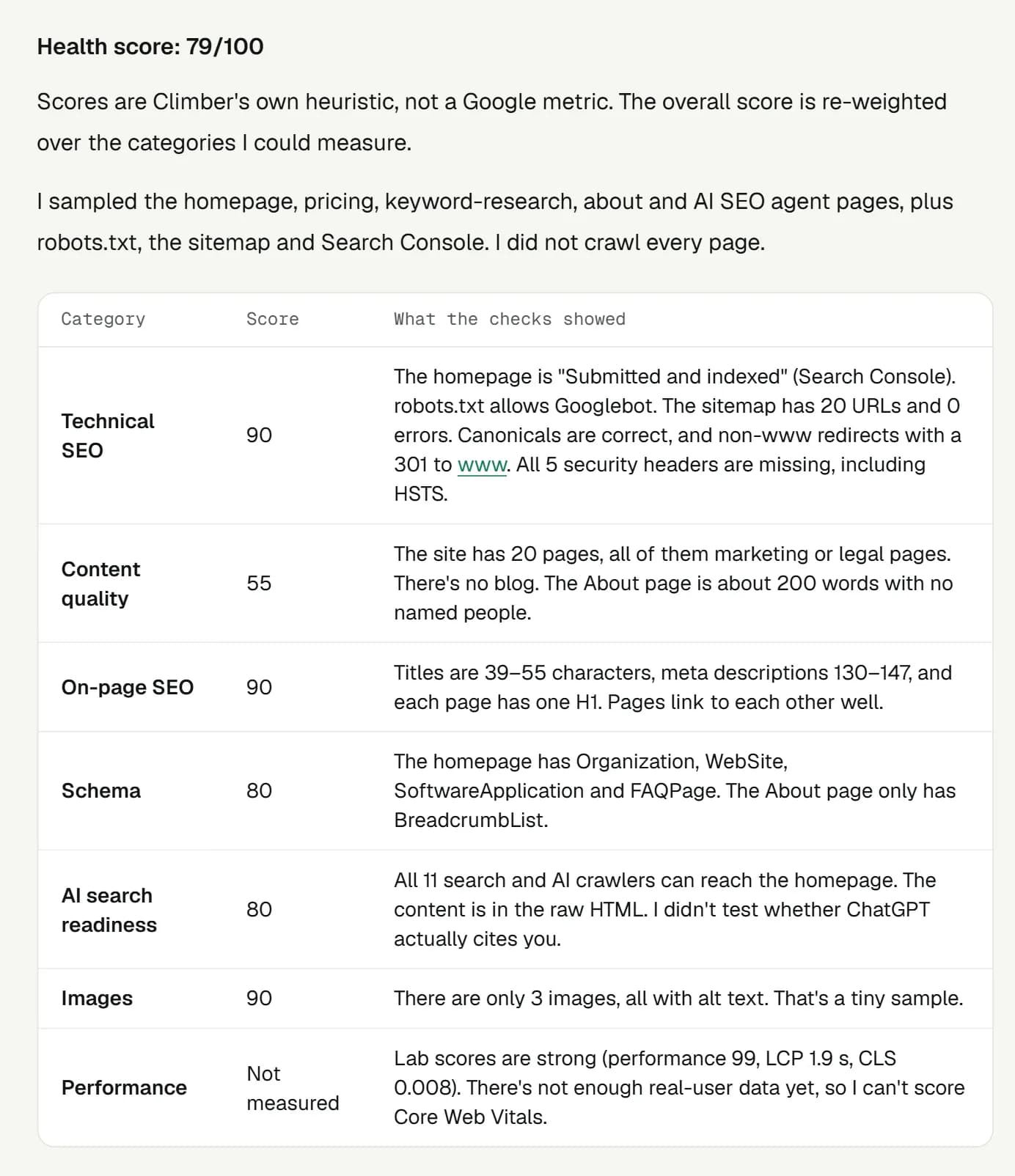
For a site under 500 pages, the free Screaming Frog or Ahrefs Free is usually enough. Pick Climber's audit if you'd rather get a ranked to-do list than learn to read crawl data.
WordPress plugins and AI writing help
If your site runs on WordPress, a plugin can help while you write.
Yoast SEO has a free version. Its Premium plan is $118.80 a year (excluding VAT) for one site, and includes AI title and description suggestions. It guides on-page work such as titles, readability and internal links as you write.
What it doesn't do: a plugin won't tell you what to write about, and it doesn't research keywords. It helps you finish a page you've already planned.
Rank Math is another popular plugin with a free version. We couldn't verify its current paid prices, so check its pricing page.
AI writing tools can speed up a first draft, but a draft is not a finished page. Whatever you use, add things only you know: your prices, photos, customer examples and local details. Climber's writer saves drafts to WordPress for you to edit and approve, and nothing goes live on its own.
How to check your AI search visibility
More people ask ChatGPT and Google's AI answers for recommendations, so it's worth knowing whether your business gets named. Most "best SEO tool" lists skip this.
The free way: type the questions your customers would ask into ChatGPT and Google, and note whether your business appears and which sites get cited instead. One answer is one sample, and answers change between runs, so repeat it a few times.
Paid options:
- Climber runs AI visibility checks against ChatGPT and Google AI Overviews. These use 3 credits each, and Climber asks first.
- Semrush offers AI search tracking in its SEO + AI Search plans, from $199 a month.
- Ahrefs includes checks on AI prompts in its plans. Lite lists 150.
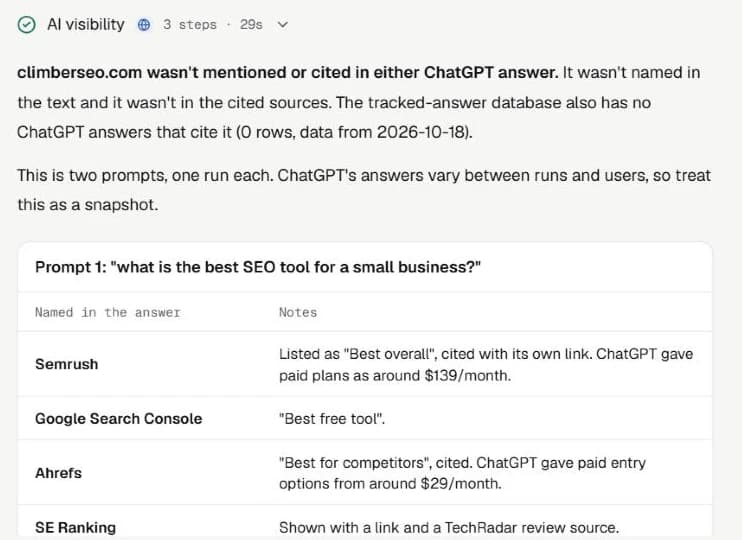
No tool can promise you'll be mentioned. They show where you stand so you can act.
How to choose by budget
| Your budget | What to use | Cost |
|---|---|---|
| $0 | Search Console, Analytics, Google Business Profile, PageSpeed Insights, free Screaming Frog (up to 500 URLs), Ahrefs Free for your own site | Free |
| About $30–$80 a month | Climber, if you want keyword picks, fixes and drafts explained for you | $29, $49 or $79 a month |
| About $100 a year | Yoast SEO Premium, if you're on WordPress and want on-page help | $118.80 a year |
| $100+ a month | Semrush or Ahrefs, if you need deep data or backlink research | From $129 or $139 a month |
A simple path for most owners:
- Set up Search Console and Analytics this week.
- Run one free site check, and fix the top issues.
- Add one paid tool only when a specific job is stuck, such as "I don't know what to write about".
- Look at the Climber pricing page or the big platforms' pages, and use the free trial before you commit.
For more on picking tools for a small team, see our page on SEO tools for small business owners.
FAQ
What are some effective SEO software tools?
Start with free Google tools: Search Console and Analytics. For paid tools, the right pick depends on the job. Climber is aimed at beginners, Semrush and Ahrefs are broad platforms for people who want deep data, Screaming Frog is a technical crawler, and Yoast is a WordPress plugin. Prices for each are above.
Which AI is best for SEO writing?
No single AI is best. A general chatbot can write fluent text, but it doesn't know your keyword's difficulty or what ranks. What matters is whether the tool researches the search results before writing, and whether you edit the draft with your own details. Climber's writer researches first and saves a draft for you to review, but you should still edit and approve it.
How much should a small business spend on SEO?
Tools can cost nothing to start. The paid tools in this guide run from $29 a month to $139 a month. We can't give you a "right" amount: spend only once a specific job is stuck, and use free trials first. This guide covers tool costs only, not hiring an agency or freelancer.
How do I increase SEO for a business?
Four steps: connect Search Console, pick keywords you can realistically rank for, fix the top site issues, and publish useful pages that answer what customers ask. Then check Search Console to see what's working. A tool can speed this up, but the steps stay the same.

Written by
Benahi · Founder of Climber
Benahi is the solo founder of Climber, an AI SEO agent for founders who never learned SEO. On this blog: what actually moves a small site in Google and AI search, learned from running Climber on climberseo.com.